PaaS (Phone as a Sensor)
A bit over a year ago I started a course at university for my robotics Masters programme, aimed at combining all that we had learned in the first year, appropriately named: Multidisciplinary Project (MDP). This was a great opportunity, I thought, a chance to fully develop a robot software stack, combining vision, navigation, and task planning, all nicely integrated in ROS2. A real practical project, to combine the more scoped down practical examples we'd been given in courses up until that point.
The robot we were lent for the project was a MIRTE master, an open source low cost educational robot developed by the TU Delft. It's equipped with a variety of sensors, like a 2D LiDAR, depth camera, IMU, an arm+gripper, and mecanum wheels. A solid base.
After picking up the robot, the first task was to see if we could remotely view the sensor data and start actuating some of the motors. This is where problems started to arise. The camera would be sluggish and not work reliably over the network, the onboard Orange Pi would crash, and the sensors would sometimes stop publishing.
This unpredictability led to quite some frustration as we wanted to get going with development, but felt held back by not understanding the platform. Unfortunately, these are the realistic growing pains you can't escape when using a platform which is still in development (Although I've heard its gotten much better / more stable since then!)
But still, the hassle of messing around with these camera sensors, IMU's and LiDAR got me to the point of thinking:
WHY CAN'T I JUST USE MY PHONE'S SENSORS?
Surely they're capable enough?
And that's what got this project started. The drifting IMU, the potato quality camera, and the hours of debugging not understanding why it wouldn't just work.
I thought, why, if everyone has such a capable device in their pocket at all times, did we have to be limited to this third party hardware that for some frustrating reason kept crashing? If my iPhone has such a great processor, camera, IMU, LiDAR sensor, just let me use that instead! And make it easy to use, so that I can get to the fun stuff instead of spending hours debugging hardware.
My 3 Requirements
This led me to setup my requirements for this project:
- It must be "Plug and Play" (from iPhone -> ROS 2)
- It must have minimal delay or jitter in the transfer of data (ideally wired)
- It must be able to send depth and camera data (at least)
These three points are what make this project different from others with a similar goal. If you lookup phone sensor bridges for ROS, they usually fall short on one of them.
For example, most existing solutions will exclusively use a wireless connection, which works well for small amounts of data but once you have to send images, depth and other data can add severe delays. Another limitation is that solutions are web based, which limits the access to the iPhone's sensors APIs. This prevents access to Depth data, and limits the specific configuration of sensor outputs.
Where to begin?
I've never built an iOS app before and although I have a bit of experience programming, I am by no means a software developer. That's why I have to give a big shoutout to Claude Code for helping bring my ideas to life. The app obviously won't be properly optimized and there will be some inherent software design faults, but my initial idea is to get this working to see if anybody would actually want to use it (so then why bother to make a "perfect" app?)
SensorStream
After making some prototypes and taking inspiration from some other tethered depth streaming iOS apps, I'm happy to say the app is in a usable state, albeit with some small issues. And I've called it SensorStream.
SensorStream allows you to stream the following data:
- Camera (Rear Wide Lens, 1080p, 30FPS)
- Depth Map (320x180, 30FPS)
- IMU (Up to around 100Hz)
- GPS (Approx 1Hz max, depending on connection)
The screenshots below show some examples of the UI of the app. Each sensor has a live preview window and some configurable parameters.
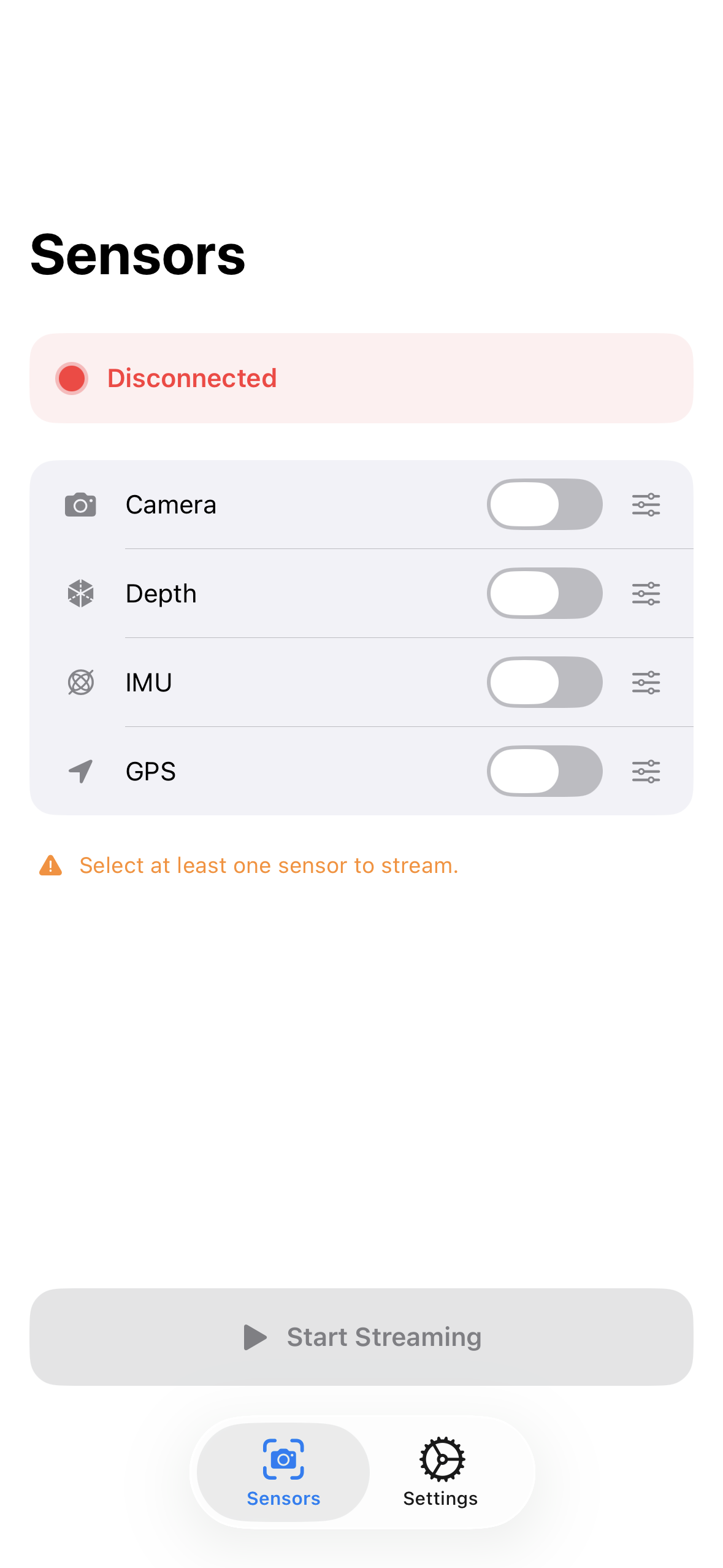
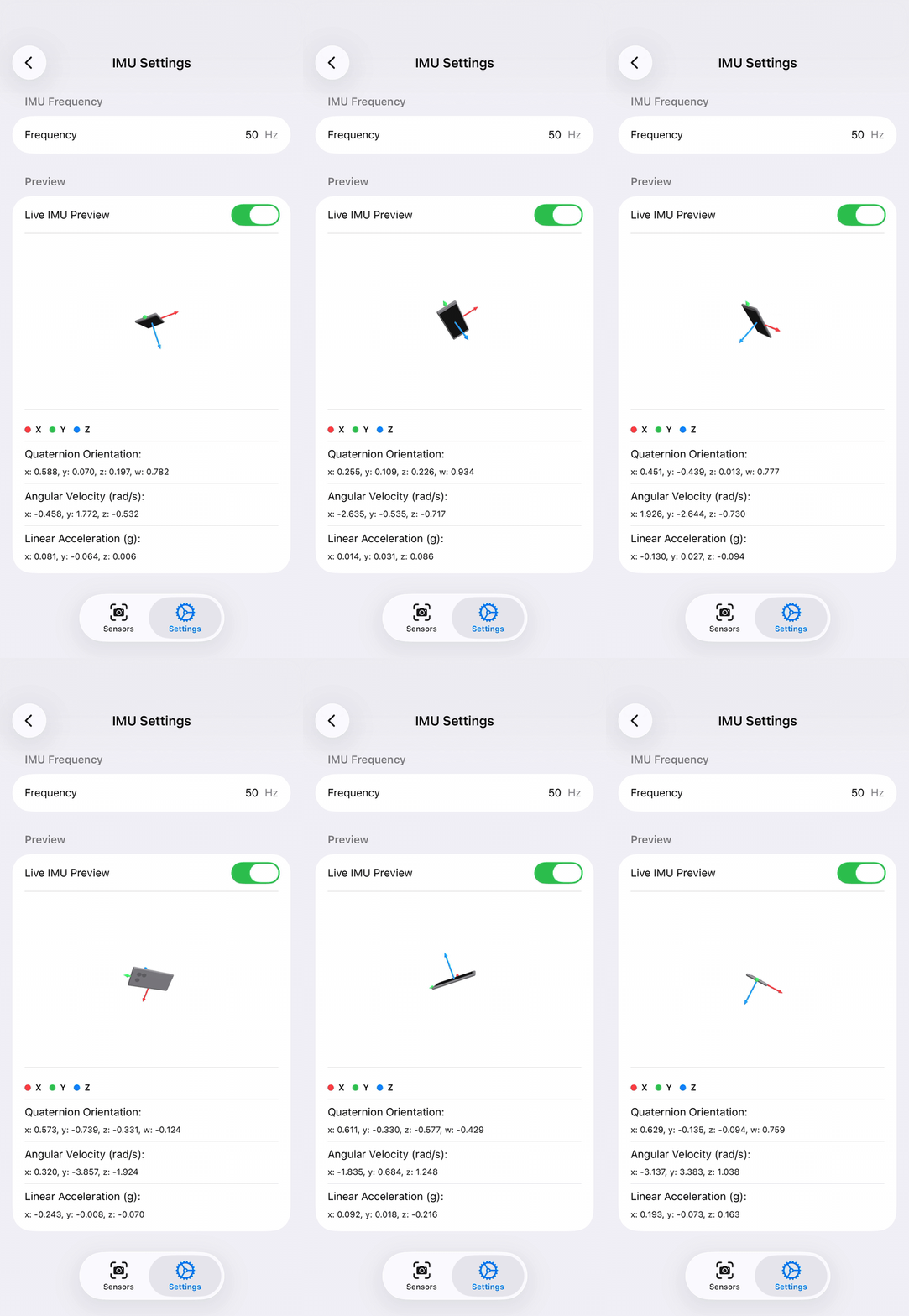
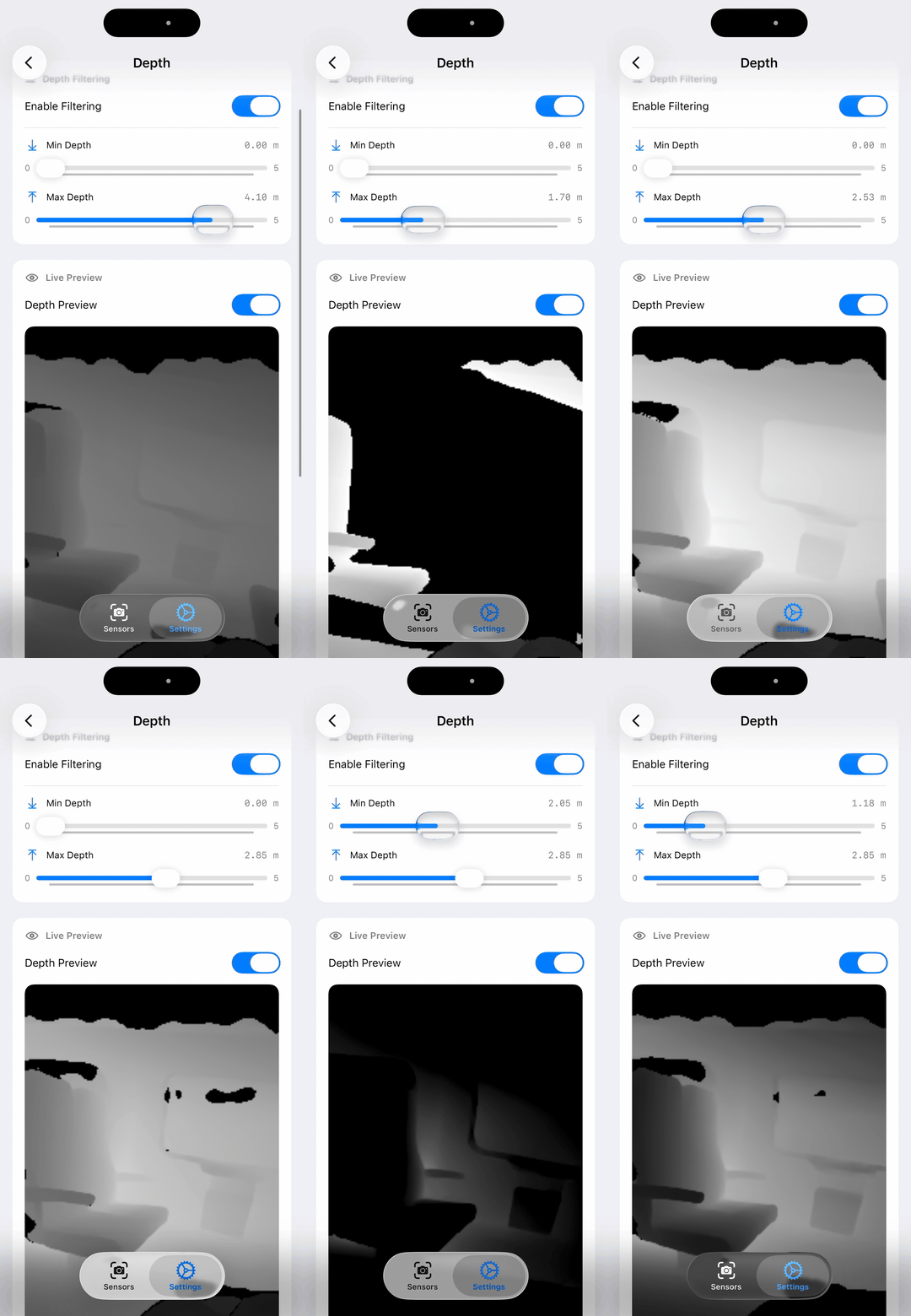
Some example screens of the app
Unfortunately, looking back at my 3 requirements, the app isn't fully "Plug and Play" once plugged into the computer. It still requires a "bridge", which takes the data from the app and publishes it to ROS 2 topics.
I did however see someone make an app with a similar premise which didn't explicitly require a custom bridge, instead relying on a Zenoh router. I really like this idea as it just feels like a more elegant solution. I might decide to implement something similar later on, but for now I will just keep the app the way it is.
I have a small demo which takes the IMU, Depth, and Camera data and projects it as a Pointcloud and transforms the reference frame based on the IMU orientations. You can see the GIF below how the pointcloud looks.
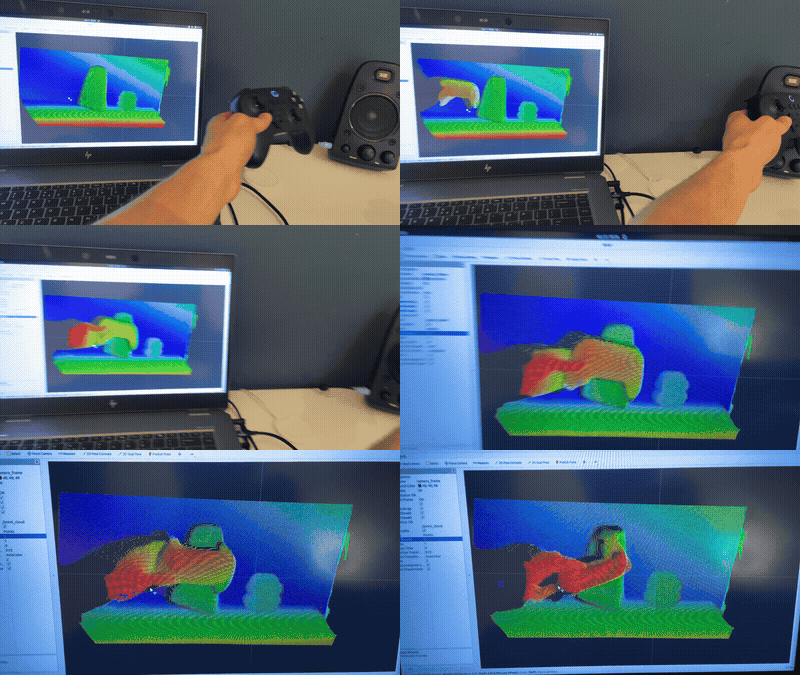
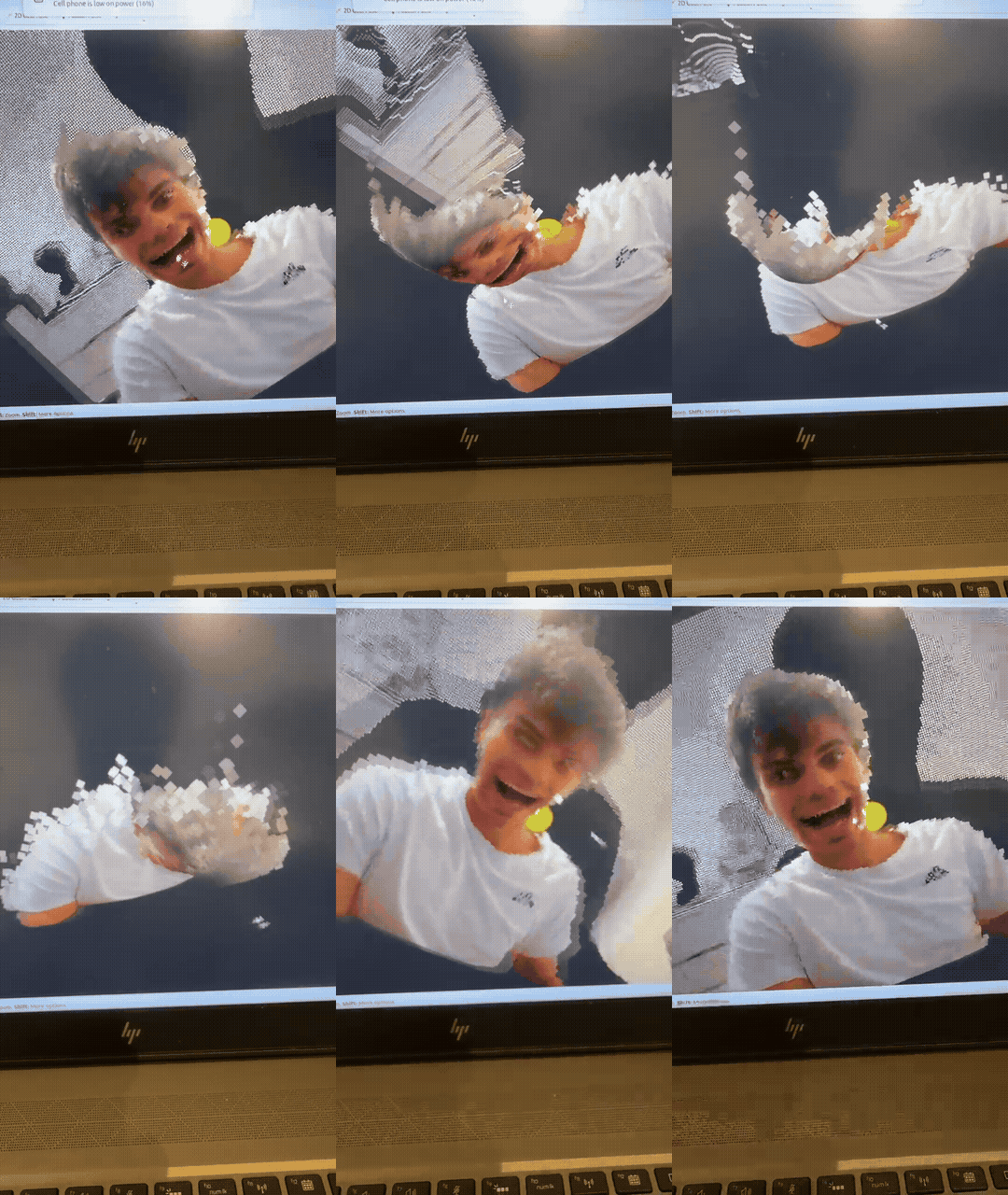
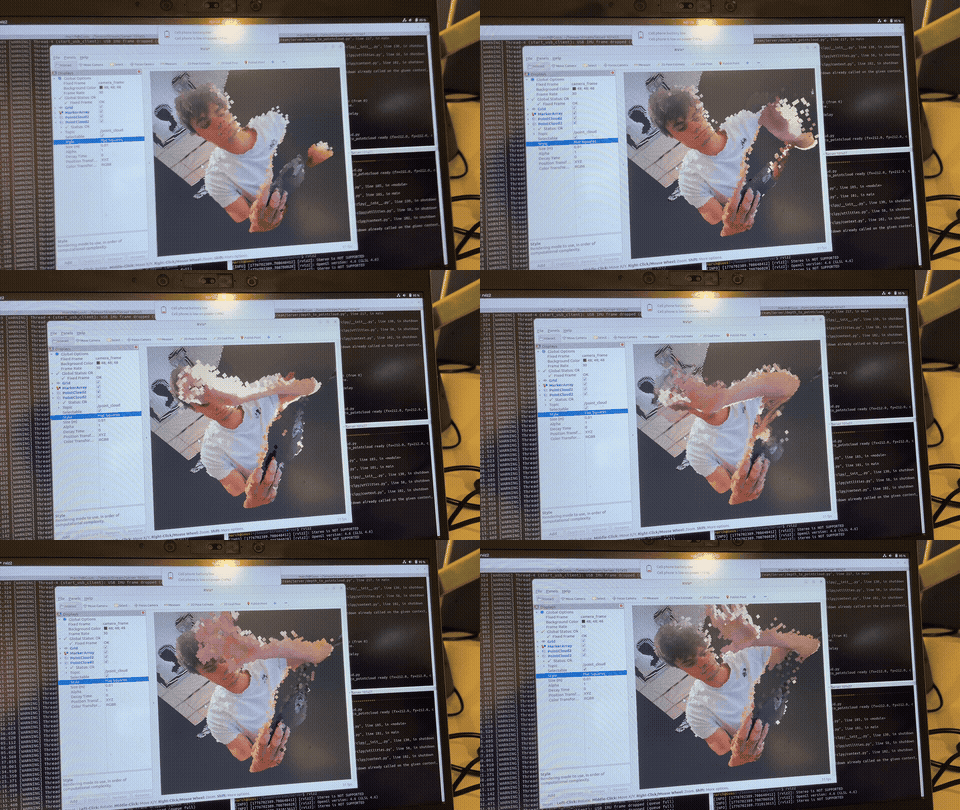
An example of the streamed pointcloud and image data
Where to go from here
There's still a long way to go in optimizing, adding features, and getting the app on the App Store. I don't even know if all the features I have adhere to Apple's App Store guidelines. From what I understand the approval process can be a hassle (and expensive, with the required $99 annual developer account subscription).
But that aside, the things I'd like to implement moving forward are:
- Support multiple devices (more than 1 phone connected)
- Pointclouds directly from iPhone (instead of reconstructing on computer)
- Some numerical tests to validate connection speed / delays / max bandwidth over USB/ etc.
- Add on device processing (offloading computation from the "main" ROS device to the iPhone)
For now, I'll continue to work on the app and hopefully be able to give people a copy on TestFlight to test the app and work out some issues. Also, let me know if anyone is actually waiting for such an app and what their use cases would be, what other features they would want, because I would love to know!
To conclude, I know the MIRTE robot wasn't at fault and this was just an excuse to make a fun little side project, but it would be fun to go back to the MIRTE and use this (and maybe give it to students, so they too could use it in future projects!)
EDIT (May 7th 2026):
The app is now live on the App Store! Check it out at:
 Martijn Habers
With the companion driver at:
 martijnhabers